The main difference between Cat6 and Cat6A in an office project appears at 10 Gbps. Cat6A supports this speed over a channel up to 100 m. Cat6 requires a shorter channel for 10 Gbps and an assessment of interference from neighboring cables. A label on the cable alone does not confirm performance.
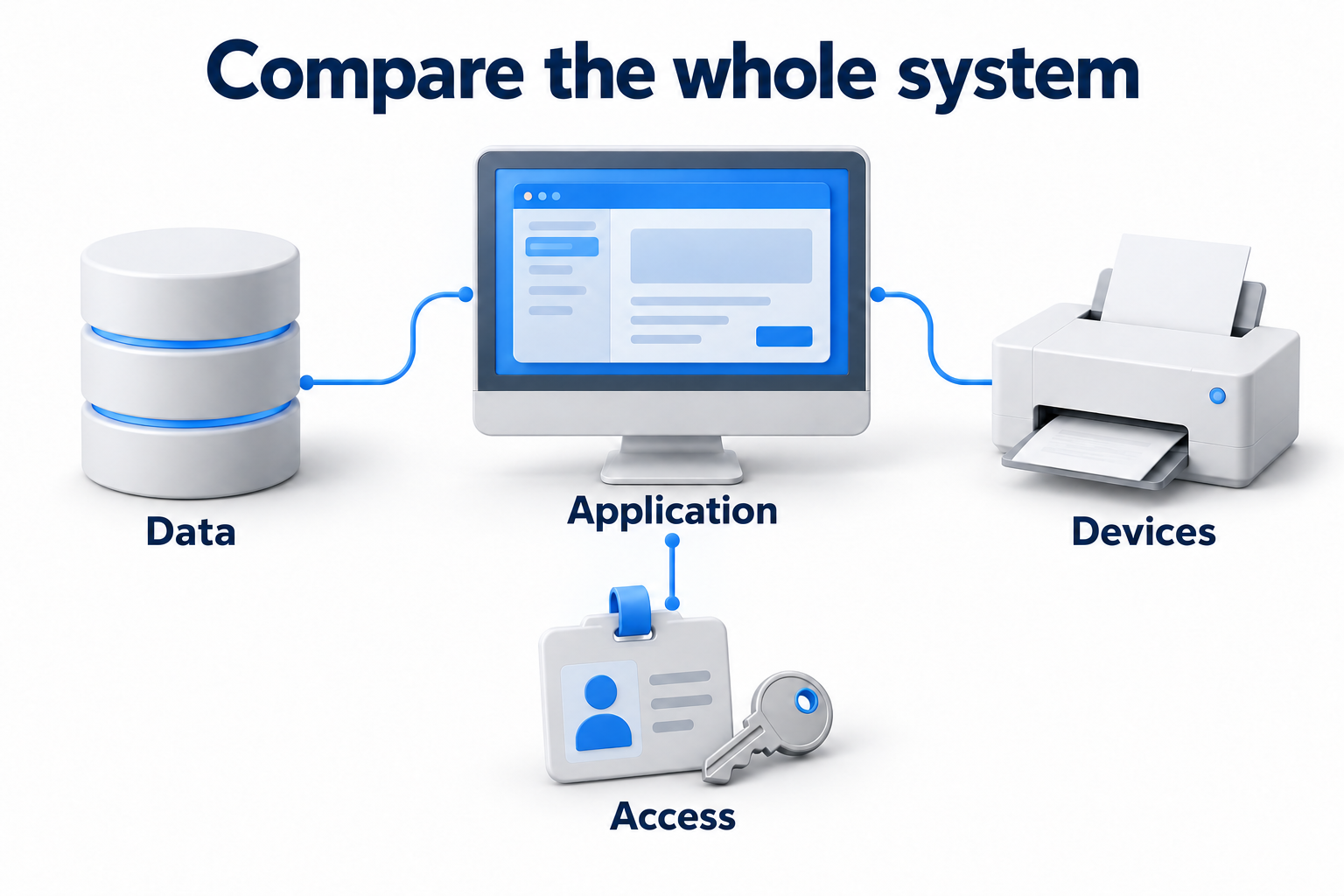
Choose the whole system: cable, outlets, panels, patch cords, and installation method. Then agree on testing. The category must suit equipment speeds, actual route length, and installation conditions, including power delivery over the network.
Compare Cat6 and Cat6A with their operating conditions
|
Parameter |
Cat6 |
Cat6A |
What to check |
|---|---|---|---|
|
Specified frequency range |
Up to 250 MHz |
Up to 500 MHz |
Frequency is not the same as speed in Mbps |
|
1 Gbps transmission |
Channel up to 100 m when requirements are met |
Channel up to 100 m when requirements are met |
All components and test results |
|
10 Gbps transmission |
Shorter channel. Operation from 37 to 55 m depends on alien crosstalk |
Channel up to 100 m when requirements are met |
Total channel length and suitability for the selected application |
|
Shielding |
Different constructions are available |
Shielded and unshielded constructions are available |
The specific construction and environmental conditions |
|
PoE power |
Possible with suitable components and conditions |
Possible with suitable components and conditions |
Current, conductor size, resistance, bundles, and temperature |
|
Size and installation |
Depend on the selected product |
May require more space. Dimensions vary |
Diameter, bend radius, pathway fill, and connector compatibility |
|
Cost |
Price the entire installed channel |
Price the entire installed channel |
Materials, installation, testing, and future access to the route |
Citing TIA, manufacturer ICC describes 10 Gbps operation on existing Cat6 up to 37 m and a conditional range from 37 to 55 m depending on alien crosstalk. The statement “Cat6 guarantees 10 Gbps at 55 m” is therefore too broad. For a new copper system that needs 10 Gbps over a full channel, specify Cat6A and verify performance after installation.
Measure channel length rather than distance on a plan
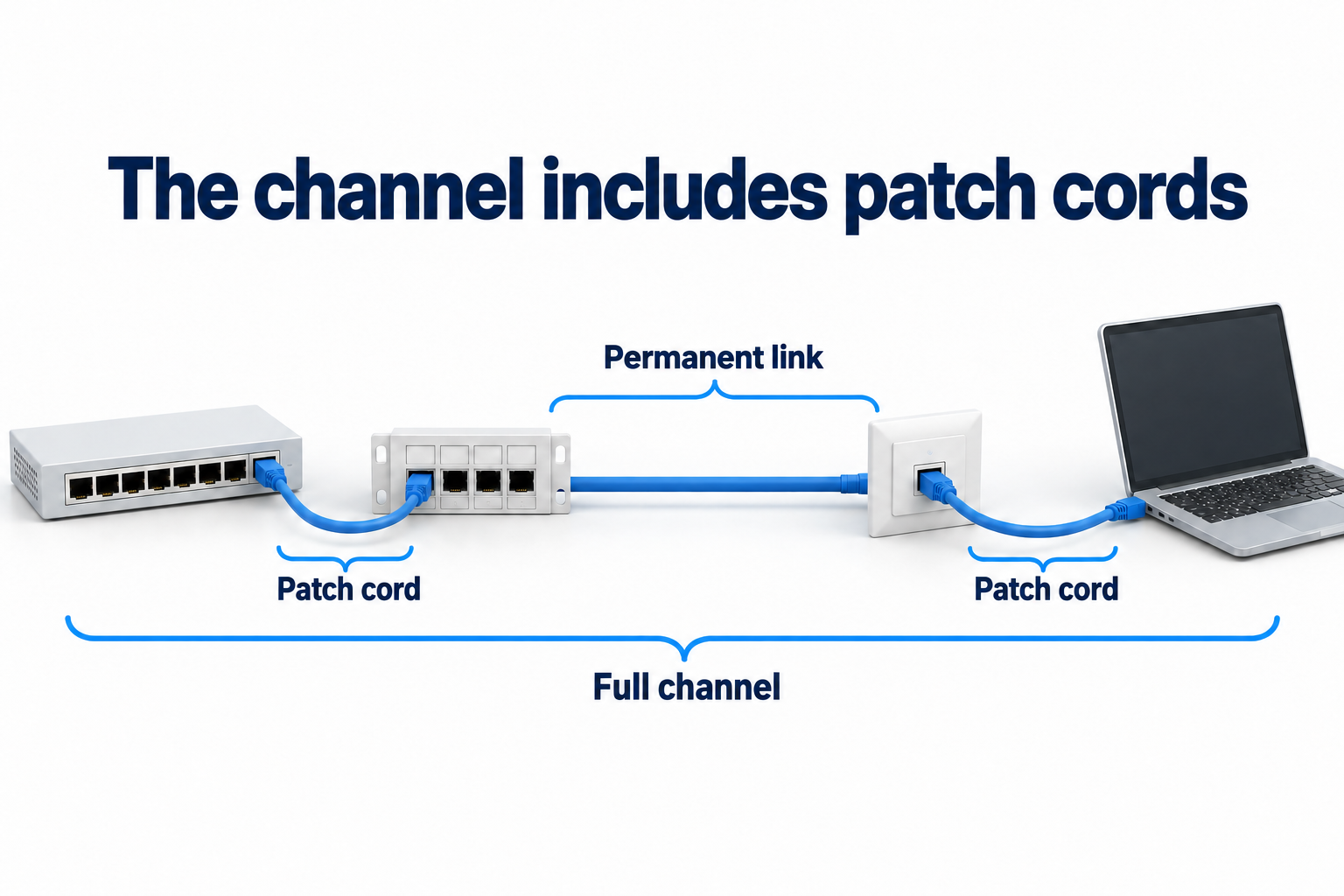
A permanent link differs from the full channel
The permanent link is the fixed part of a cabling system. It usually connects the panel in the cabinet to the outlet. The full channel also includes patch cords connecting the switch and end device. In a typical arrangement, the permanent link limit is 90 m, and the channel limit including cords is 100 m.
This does not allow 100 m of fixed cable with cords added afterward. Thinner cords, higher temperatures, and specific system requirements may require a different calculation of allowable length. Define the channel boundaries and test method in the specification before installation.
Measure the actual route
Include rises to the ceiling, bends, passages between rooms, cabinet entry, and planned slack. A straight line between the desk and cabinet on a plan does not show cable length. For long routes, check cabinet placement and the possibility of another topology in advance.
A Cat6A label does not remove limits when a copper channel fails to meet requirements. Consider changing the route, equipment placement, or transmission medium to fiber with suitable ports. Between buildings, also assess the environment, electrical risks, and project requirements. Detailed backbone selection belongs to a separate design task.
Consider an example with 86 m of fixed cabling and two cords totaling 12 m. The overall length is 98 m, but comparing it with 100 is not enough. Check the permitted combination of fixed cabling and cords, their construction, and system conditions. An estimate showing only 86 m of cable hides part of the channel and does not establish suitability.
Distinguish frequency, category, and equipment speed
500 MHz does not mean 500 Mbps
Frequency describes the range over which the cabling system is tested. Transmission speed depends on the network standard, equipment, and channel suitability. Cat6A cannot make a connection faster than the switch and computer ports allow. It can prepare the physical infrastructure for a later equipment upgrade.
Do not reduce the choice to two speeds: 1 and 10 Gbps. Equipment with 2.5 and 5 Gbps ports also exists. Assess the selected operating mode and existing link for that equipment. Do not describe every Cat6 channel beyond the shorter limit for 10 Gbps as capable of only 1 Gbps.
Check outlets, panels, and cords
The common connector format usually called RJ45 provides a physical connection. It does not make components of different categories equivalent. For a specified Cat6A system, select matching cable, connecting hardware, and cords. Replacing one section with Cat6A does not turn the rest of the channel into Cat6A.
For a cable that connects directly to a device, check the plug: conductor type and size, cable outside diameter, shielding construction, and space for the housing. The documentation must confirm that the plug suits the specific product. “Any plug that fits will work” does not replace compatibility checks and testing.
Do not treat the Cat6e label as equivalent to Cat6A. Confirm which recognized category and requirements the product meets. Specify the actual category and acceptance criteria rather than relying on a marketing name.
Assess interference, shielding, and PoE
Category does not determine whether shielding is present
Cat6A is available with or without shielding. U/UTP has no overall shield or individual pair shields. F/UTP has an overall foil shield. U/FTP has shields around individual pairs without an overall shield. Choose the construction for the route conditions and system requirements, rather than assuming that the letter A always means shielding.
Alien crosstalk occurs between neighboring cables and connecting hardware. It differs from crosstalk between pairs within one cable. For dense pathways and 10 Gbps transmission, account for it when selecting the system and test program. It is incorrect to assume that such interference occurs only above a particular frequency.
A shielded system needs coordinated components
For a shielded system, agree on connecting hardware, shield continuity, and bonding and grounding requirements. The installer must follow system documentation and applicable site rules. Shielding cannot fix damaged pairs, poor termination, or excessive bending.
Take bend radius, pulling tension, allowable compression, and separation from power cables from the requirements for the specific product and project. Do not apply the dimensions of one cable model to all Cat6A products. A smaller diameter can ease installation, but it is only one selection factor.
Check thermal conditions for PoE
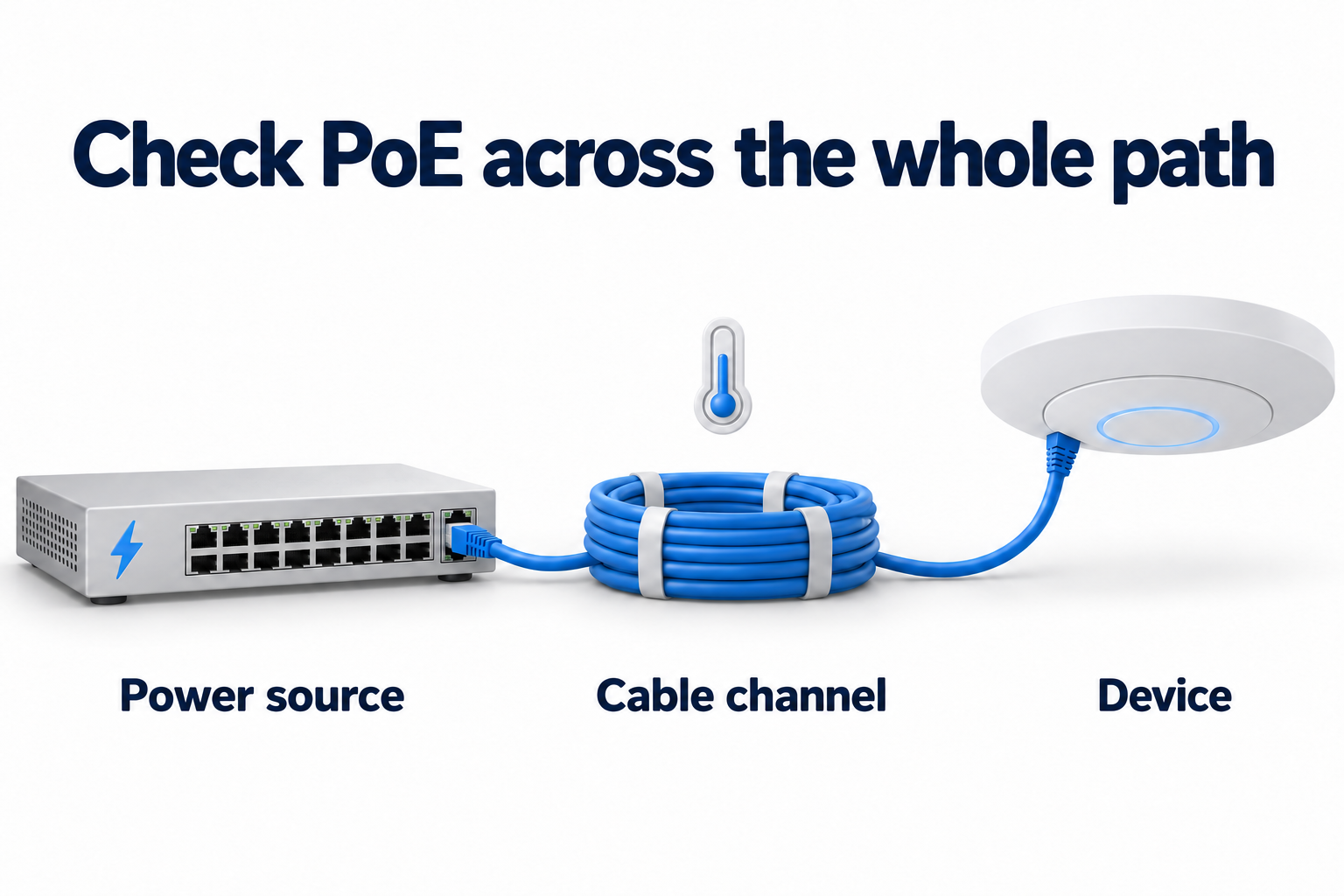
PoE carries power and data over the cabling system. Both categories can form part of such a system. Equipment power and current, conductor material and size, resistance, ambient temperature, bundle size, and installation method all matter. The category name alone does not establish suitability for every power mode.
Current heats conductors. Dense bundles dissipate heat less effectively, and higher temperatures can increase signal loss and reduce allowable length. Cat6A is often considered preferable for higher loads, but the specific choice needs manufacturer data and an assessment of conditions. Do not assign one PoE level to all Cat6 and another to all Cat6A.
Also check connectors and requirements for measuring resistance and resistance unbalance. The entire power path matters, not just the reel of cable. Follow equipment documentation when deciding how to disconnect a powered device. Connectors have defined operating conditions.
For powered devices, specify the power source model, receiver requirements, and number of devices operating simultaneously. The switch's total power budget and the suitability of an individual cable channel are separate checks. A higher cable category cannot fix insufficient switch power.
When to keep Cat6 and when to choose Cat6A
|
Situation |
Practical decision |
Condition |
|---|---|---|
|
Existing Cat6 operates without errors and meets requirements |
Check its condition and retain suitable links |
Confirm the required operating mode, length, and test results |
|
A new channel must support 10 Gbps up to 100 m |
Specify a Cat6A system |
Account for cords, temperature, installation, and acceptance testing |
|
An existing short Cat6 channel needs 10 Gbps |
Assess the specific channel |
Check length, performance parameters, and alien crosstalk |
|
A new wireless access point or PoE camera |
Choose for the requirements of the specific device |
Check port speed, power, bundles, and route |
|
Walls or ceilings will be difficult to reopen after renovation |
Compare total lifecycle costs and capacity for future requirements |
The higher category should provide useful headroom rather than a promise for any length of time |
|
The route exceeds the allowable copper channel length |
Review the topology or transmission medium |
Do not try to fix length simply by replacing Cat6 with Cat6A |
Do not choose a category solely by a technology name such as video calls, cloud applications, or a modern wireless network. Actual port speed, traffic, power, and length matter. Not every access point needs 10 Gbps, and not every camera creates a large data load.
Find the cause before replacing cable
If the network is slow, first identify the bottleneck. Check negotiated port speeds, interface errors, and link condition. The problem may be a patch cord, termination, or active equipment. Replacing the entire cabling system without diagnosis may leave the original cause in place.
For existing Cat6, compile a list of links with their lengths, purposes, and test results. Identify those that genuinely need higher speed or a different power mode. This separates required work from future headroom and avoids treating every link as identical based on its category label alone.
Compare the full estimate and acceptance results
Cable cost per meter is not the project cost
Compare cable, outlets, panels, cords, cabinets, and pathway arrangements. Add labor, access to rooms, restoration of finishes, labeling, testing, and defect correction. Cable size and termination complexity can affect the work. The claim that Cat6 and Cat6A installation always costs the same does not fit every site.
Request estimates for the same number of links, routes, and requirements. Separate the differences in materials and labor. If considering headroom for a future upgrade, compare it with likely equipment changes and the cost of reopening the route. Do not replace this assessment with a promise of a guaranteed service life lasting decades.
Agree on tests before work starts
A basic continuity and wire mapping test does not confirm every category characteristic. Before installation, agree on the test model, category or class, selected application, and required parameters. A plug that connects directly to a device may need a different test model from the usual arrangement with two outlets.
|
What to accept |
What to request |
|---|---|
|
Unambiguous labels |
Link identifiers on the outlet, panel, and plan |
|
Component compliance |
Specifications for cable, connecting hardware, and cords |
|
Testing of the fixed section |
Permanent link reports under the agreed test model |
|
Support for the required category and application |
Parameter results against the selected limits, rather than wire mapping alone |
|
Conditions for 10 Gbps and PoE |
The agreed scope of alien crosstalk assessment and electrical tests |
|
Defect correction |
Repeat results for corrected links |
|
Future maintenance |
The plan, port list, and original test reports |
Do not accept a report without a clear test mode. A “pass” result must apply to the required category and link model. Agree on the scope of alien crosstalk testing, sampling, and warranty terms with the installer and system manufacturer. Maintain the same component requirements when replacing cords.
What to provide when selecting a cabling system
Prepare floor plans, cabinet and device locations, proposed routes, port speeds, and PoE requirements. Include known interference sources, access restrictions, and planned changes. These details support category selection and acceptance criteria for each group of links.
For a new system requiring 10 Gbps over a full copper channel, Cat6A provides a clear basis. Suitable Cat6 does not need replacement simply to obtain a new label. The decision depends on the specific channel conditions, component quality, and test results.
If you are preparing a new office or changing existing links, discuss structured cabling with DKs. Provide the plan and device requirements to agree on installation scope, labeling, and testing.