Network segmentation limits which devices and services can communicate. A compromised workstation should not automatically gain access to servers, backups, or equipment management. Drawing separate zones is not enough. Technical controls must enforce the boundaries, and permitted connections must serve business tasks.
The practical result is a zone map, a table of permitted flows, rule owners, and test results. The plan must keep applications working while blocking unnecessary paths. This article covers that plan for a business network. Configure individual devices separately after agreeing on the architecture.
Define what to separate and protect
Start with critical processes and resources. Identify where important data resides, who uses it, and which access allows configuration changes. Check the asset register and connection diagrams. Include wired connections, wireless networks, remote employees, contractors, telephony, cloud resources, and equipment that is difficult to update. The owners of these systems must understand the project scope.
For each device or group, record its purpose, owner, connection method, and required dependencies. Investigate the role of an unknown device and agree on a safe temporary arrangement. Do not automatically place it in a trusted work zone. Gather information from settings, flow observations, and discussions with application owners. A short observation period without a connection does not prove it is never needed. Infrequent operations, updates, and recovery also matter.
The overview of network and telecommunications infrastructure explains its role in business operations. A segmentation project needs more detail: specific zones, permitted connections, and tests of their restrictions.
Map zones by purpose and risk
You do not need a separate zone for every department or device. Group systems by function, data sensitivity, privileges, and required protection. Start with a manageable number of boundaries that the team can maintain. If a group needs tighter controls, consider separating individual workloads. More detail helps when it serves a clear purpose and the team can verify the rules.
|
Zone |
What it contains |
Access boundary |
Zone assignment owner |
|---|---|---|---|
|
Work devices |
Managed employee computers. |
Access to required applications. Direct server administration is not available to every employee. |
Work environment owner. |
|
Guests |
Visitors' personal devices and other guest access. |
Internet access under approved conditions, with no access to business resources. Permit required infrastructure services separately. |
Guest access owner. |
|
Voice |
Phones and related communications components. |
Only required telephony services and infrastructure dependencies. |
Telephony owner. |
|
Servers and applications |
Internal application services, with data separated where necessary. |
Only agreed clients and connections between services. |
Application owner. |
|
Management |
Authorized administration tools and management interfaces. |
Access for assigned administrators through a controlled path. |
Administration owner. |
|
Equipment with limited trust |
Printers, sensors, or legacy devices, based on their assessed role. |
The minimum required connections, without general access to business data or management. |
Owner of the relevant equipment. |
|
Public services |
Applications accessible from outside, if included in scope. |
A separate boundary with internal resources. Allow only required application dependencies. |
Public service owner. |
This is an example for discussion rather than a mandatory design for every company. Telephony may run at a provider, and there may be no internal servers. The map will differ, but it must still show cloud dependencies and management access. Consider a separate protection boundary for backups and important data so that ordinary user access cannot change or delete backups.
Check how the boundary is enforced
Physical separation uses separate resources and links. Logical separation uses shared infrastructure. A VLAN defines a separate broadcast domain, while a subnet organizes addressing. A VLAN name or different address range alone does not determine who may connect. Zones need verifiable rules on firewalls, routers, or other suitable control points. In the cloud, network and workload access rules can serve this purpose.
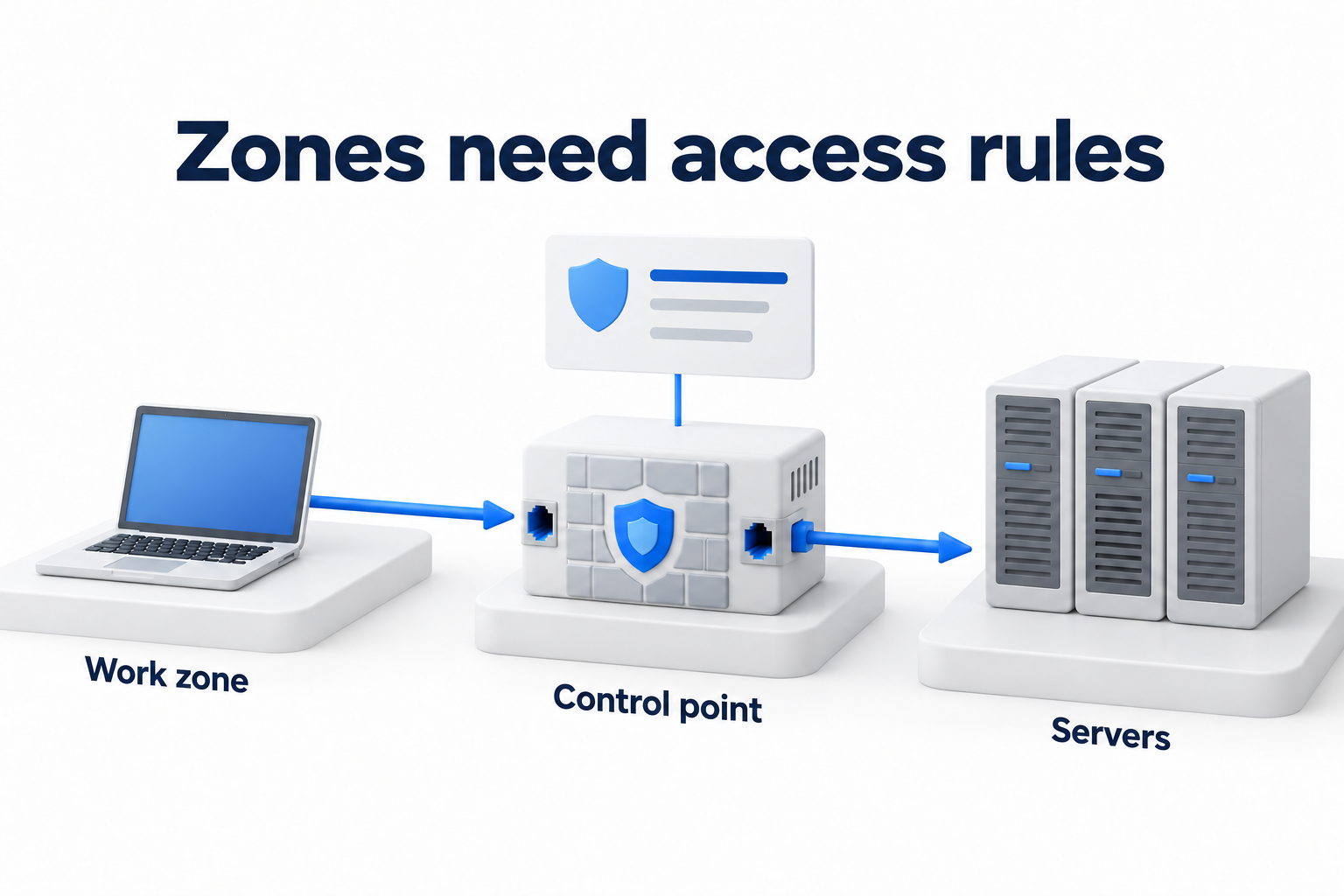
Segmentation of individual workloads controls more granular connections, including communication within a shared zone. It requires accurate dependency information and policy maintenance. Access through ZTNA does not remove the need to restrict local connections after entry. Choose a combination of tools for the task rather than relying on a promise that one product replaces every other control.
Describe permitted flows before changing rules
Each connection needs a source, a destination, a required service, a business reason, and an owner. The administrator specifies protocols and technical objects in the working configuration. The application owner confirms the need. A broad “everyone to everything” rule is not justified simply because it was used before. An observed connection is not always necessary either. It may reflect an old setting.
|
Source |
Destination and purpose |
Restriction |
Rule owner |
How to test |
|---|---|---|---|---|
|
Work zone |
Business application for daily operations. |
Only required application access, without direct administrative connections. |
Application owner. |
The business operation works. A management attempt from a standard client is blocked. |
|
Guest zone |
Internet access for a visitor. |
No access to business resources or management interfaces. Permit required infrastructure services separately. |
Guest access owner. |
The external service is accessible. The internal test resource and management are inaccessible. |
|
Voice zone |
Telephony services and agreed dependencies. |
Required communications paths without general access to business servers. |
Telephony owner. |
Test the call and required function. An unnecessary connection to a business resource is blocked. |
|
Management zone |
Administrative interface of a specific system. |
Only assigned tools and roles. Log authentication and actions. |
Administration owner. |
The authorized administrator can connect. A standard user and an unauthorized path are blocked. |
|
Application |
Data storage required by the application. |
Only required instances and services, without general access from every server. |
Application owner. |
The data operation works. A client from an unrelated zone cannot connect directly. |
|
Permitted zones |
Identity, DNS, DHCP, time synchronization, and updates. |
Specific infrastructure dependencies for each role rather than the same blanket permission for all traffic. |
Infrastructure service owner. |
Test authentication, configuration delivery, and required requests, including infrequent operations. |
|
Assigned systems |
Backups and monitoring under the approved design. |
The direction depends on the architecture. Standard users do not administer backup storage. |
Owner of the relevant service. |
The backup and restore test work, and events arrive. Unnecessary management access is blocked. |
|
Remote participant or contractor |
Only the resource needed for the agreed task. |
Limited permissions, controlled authentication, and an expiry for temporary access. |
Owner of the receiving service. |
The required operation is available. Neighboring systems and general administrative access are blocked. |
The target rule is to permit required connections and block the rest. Move toward it after checking dependencies and agreeing on changes. If broader access is temporarily necessary, record the reason, owner, restrictions, expiry, and method for reducing it. A temporary rule without a review date can quickly become a permanent way around the boundary.
Check bypass paths
Confirm that the relevant traffic actually passes through the control point. Check alternative routes, secondary network interfaces, bridges between networks, remote access, and cloud connections. An IPv4 rule does not necessarily restrict the equivalent IPv6 path. Check wired and wireless access separately, switching between them, and client isolation in the guest environment if the plan includes it.
Segmentation does not replace user authentication, application permissions, or endpoint protection. An attacker with suitable access may use a permitted network flow. It is more accurate to describe limits on paths and potential impact than to guarantee that every attack will remain in one zone. Segmentation does not guarantee a faster network either. Assess bandwidth and connection quality separately.
Deploy in stages with rollback conditions
- Save the configuration, original connection map, and emergency method for managing equipment.
- Agree on the pilot group, maintenance window, test owners, and signs that require work to stop.
- Test the proposed rules in an available observation mode or test environment. Observation alone does not block traffic.
- Enable restrictions for the agreed group, test required and blocked operations, and investigate unexpected blocks.
- Expand the scope after verifying the result. If a failure occurs, restore the approved state, record the cause, and review the rule before deploying it again.
Do not remotely change the management network without a tested separate recovery path. Agree in advance on acceptable tests for sensitive equipment and provider services. Perform active tests only within the authorized scope. They must not disrupt other parties' services or interfere with an ongoing incident.
Verify permissions and blocks with real tests
For every important rule, perform two kinds of test: the required operation works, and an unnecessary attempt is blocked. Test from the actual source zones using the relevant roles. A failed ping does not prove that an application connection is blocked. A service that does not respond may simply be switched off. Compare the result with the log at the relevant control point and the state of the destination.
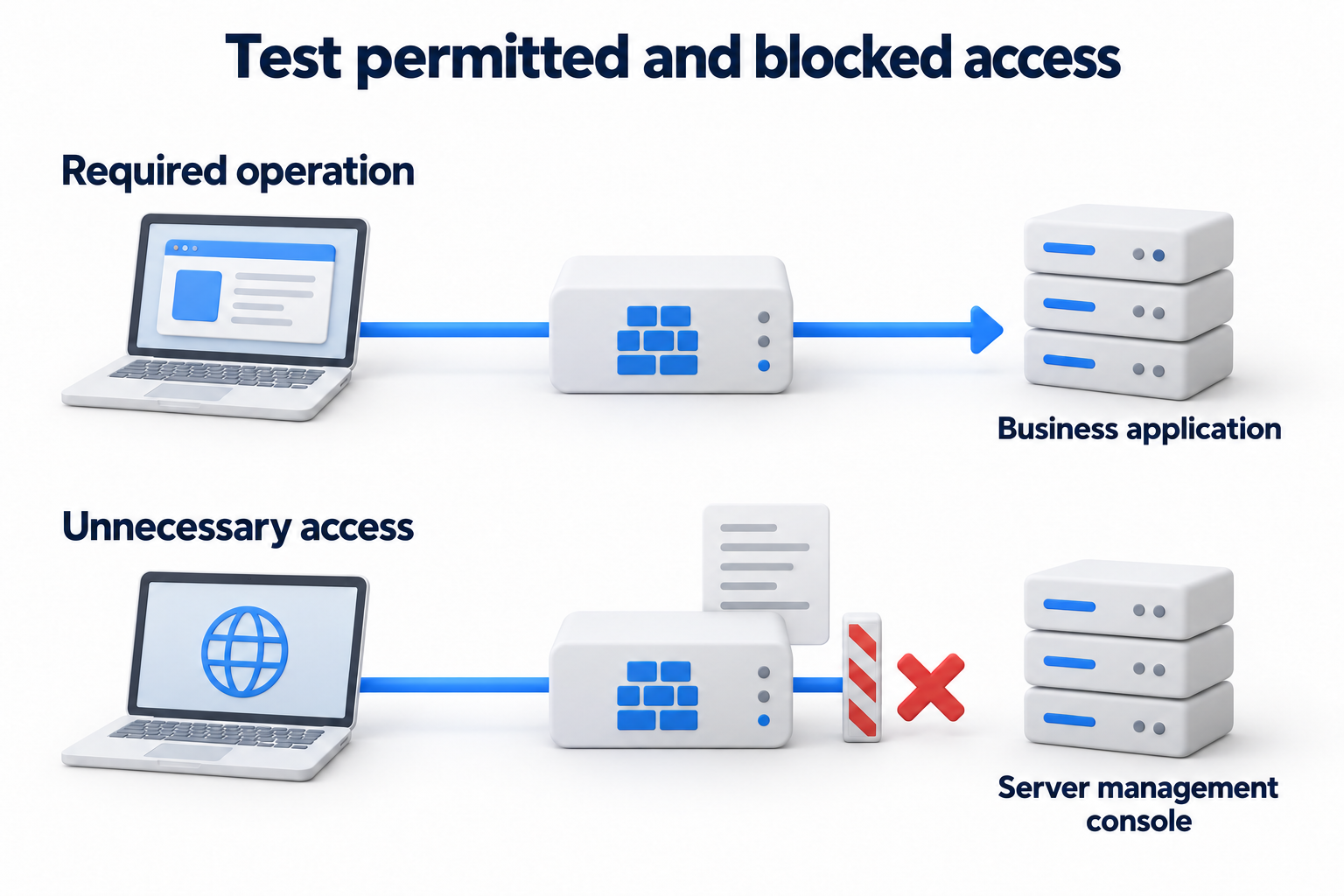
- Test daily application operations, authentication, printing, and required communications.
- Test updates, monitoring, backups, and recovery under agreed conditions.
- Test blocks on guest access to business resources, standard client access to management, and unnecessary connections between servers.
- Test whether rules persist after a restart or connection change if the agreed scenario includes this.
- Record the date, source, destination, expected and actual result, log reference, and owner. Do not mark a rule complete solely because the setting exists.
Maintain the map and rules after deployment
Assign an owner for the zone map and regular rule reviews based on criticality. Reassess connections after adding an application, changing a provider, migrating a service, changing remote access, or experiencing an incident. Assign new systems to zones and grant required permissions through an agreed process. Teach participants where to report blocked access and who can approve a change.
Collect events and monitor unexpected flows, route changes, and broad permissions. Automation can detect deviations and apply approved policies. It should not automatically permit every new connection. Check temporary exceptions, unused rules, and differences between the map and the operating network. Choose additional technical tests based on risk and perform them within an agreed scope.
If you need a technical zone plan and safe changes to an existing network, discuss the task with DKs on the Network & Telecom Services page. Prepare the application list, current diagram, and limits on service interruptions.