IT support costs depend on the systems covered, scope of work, and support schedule. A rate per user alone does not show the monthly budget. You need to know who counts as a user, what the rate includes, and which charges remain outside it.
Request a quote for your environment with a list of work and exclusions. Then compare providers using the same service scope and period. The sections below cover pricing models, additional costs, and a comparison matrix.
Describe the environment and required result
Agree on billing units
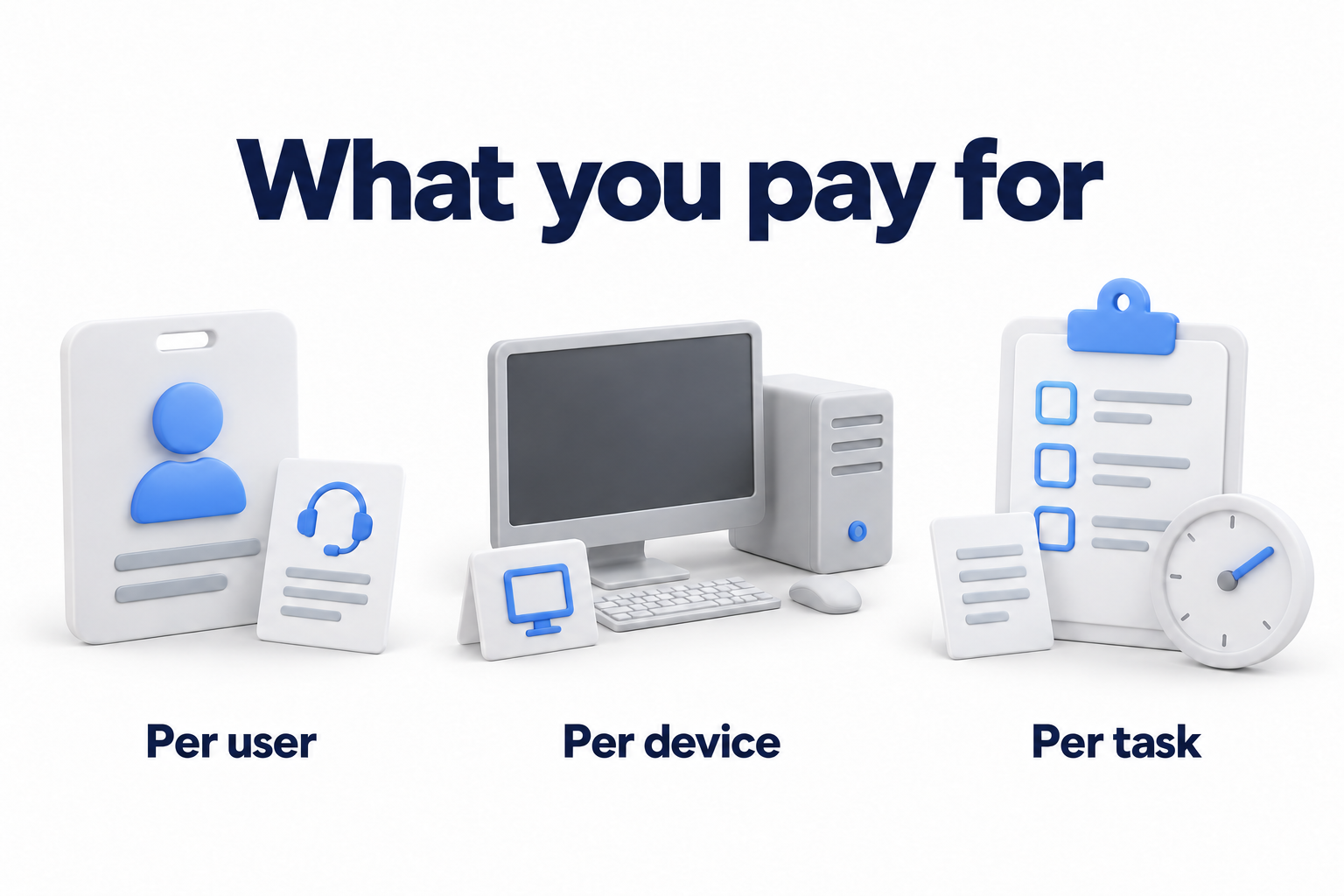
Prepare the number of people who need help and a list of managed devices. Separate work computers, servers, network equipment, and mobile devices. Identify shared workstations, employees with several devices, and remote users.
Ask the provider to define the billing unit. Under billing per user, servers may be charged separately, while billing per device may set separate limits on user support. Do not assume that every employee device falls within the contract without restrictions.
List systems, sites, and constraints
Add offices, cloud subscriptions, critical applications, and existing vendors. Specify where help is needed on site and when employees work. One office with standard computers and several sites with servers need different support scopes even with the same headcount.
Disclose unsupported systems, known faults, missing documentation, and special access requirements. The provider must state the conditions for taking on the environment and work required first. Agree on who gathers the initial information and whether the initial assessment carries a charge.
How pricing models work
|
Model |
What you pay for |
What to clarify |
|---|---|---|
|
Per user |
An agreed number of people receiving support |
Included devices and accounts, and treatment of shared workstations and external participants |
|
Per device |
Specified types of devices |
Different rates for computers, servers, and network equipment, and whether employee assistance is included |
|
Fixed fee |
An agreed scope of systems and services |
Scope limits, minimum charge, and review conditions |
|
Service packages |
A selected set of work |
The billing unit within the package and differences in included functions |
|
Individual services |
Selected areas such as monitoring or updates |
Who handles tasks between packages and which responsibilities stay within the company |
|
Hours or individual tasks |
Actual time or an agreed task |
Rates, minimum time, approval of overruns, and delivery times |
Models can be combined. A user rate may be supplemented by separate charges for servers, licenses, or projects. A package name is not a separate billing unit. The package may still count people and devices.
Billing per device may suit a small number of shared computers. Billing per user may suit one person with several devices. The final conclusion still depends on the scope and rates in the actual quotes. No model guarantees a lower budget for every company.
What the monthly amount should cover
Employee support and work on site
Clarify support hours and time zone, contact methods, and supported applications. Separate working hours, evenings, weekends, and holidays. Continuous monitoring does not mean an engineer handles every request around the clock.
If the quote promises a fast response, ask what counts as a response. Registering a case, starting diagnosis, and restoring operations are different events. A service level agreement, often called an SLA, must define priorities, hours that count toward targets, conditions, and dependencies on other parties.
For site visits, ask which work is included, whether visit counts or time are limited, and how travel and urgent visits are billed. Clarify consumables and work outside normal hours separately. Compare these terms for the company's actual addresses.
Monitoring, updates, and security
Record which systems the provider monitors and what happens after an alert. Collecting events without an agreed response differs from a service where a specialist investigates and takes specified action. Ask the provider to distinguish automation, engineering work, and approval by your team.
For updates, clarify the systems and applications covered, maintenance windows, verification, and exception handling. For security, identify specific tasks for devices, access, email, event monitoring, and response. A security product license alone does not define who handles a detected threat.
Include security requirements in agreed terms and check fulfillment. The FTC recommends documenting expectations for service providers and providing for oversight. An expensive package or a list of familiar products does not replace a clear scope of work.
Break support for industry requirements into specific actions and documents. A controls report, vulnerability remediation, and a legal compliance assessment are different services. Do not treat a package as a guarantee against incidents, penalties, or every risk.
Backups and recovery
Clarify which data and systems are backed up, where storage is billed, and who monitors jobs. Ask for a description of restore testing and action after failures. Backups, recovery of one file, and restoration of a critical system may have different billing boundaries.
Include the counted data volume, retention requirements, and test scope in the quote. If these are not defined, mark them as open pricing questions. Do not replace uncertainty with “backup is included.” Select the detailed retention and recovery strategy separately.
Divide work with the internal team
If the company already has a specialist, list which tasks stay with that person and which go to the provider. An employee may approve access and changes while the external team performs agreed operations. For shared support, account for both sides of the budget and avoid paying twice for the same work.
Ask for the outputs of regular work: documentation, maintenance records, open issues, and required changes. If planning is included, clarify meeting format and frequency. A dedicated contact and participation by a technical specialist may also represent different services.
Outsourcing work does not remove the organization's responsibility for its own risks. CISA recommends agreeing on roles, the division of operational and security tasks, and conditions for transitioning to the service. To compare prices, document those boundaries and required results. A complete vendor management system is a separate task.
Which charges to check separately
Initial onboarding and projects
Initial work may include assessment, access handover, documentation, installation of management tools, and readiness checks. Fixing accumulated problems, replacing equipment, or migration may carry separate charges. Ask the provider to distinguish mandatory startup requirements from desirable improvements.
For each separate phase, request its deliverable, cost, and change approval process. Clarify what triggers recurring billing and who supports systems during the transition. If a package includes project hours, check the allocation, permitted work, and rules for carrying unused time forward.
Equipment, licenses, and cloud bills
Equipment support does not mean that purchase, repair parts, or an extended warranty are included in the rate. Separate support, procurement, and existing manufacturer coverage. For a critical application, ask whether a separate agreement with its developer is required.
For licenses, clarify the product, quantity, subscription owner, commitment term, and billing frequency. Application assistance and the right to use the application are separate cost items. For cloud resources, check usage, storage, and data transfer separately if they form part of the expected budget.
A monthly invoice does not necessarily mean a commitment lasting only one month. Microsoft, for example, distinguishes subscription term from billing frequency. Check each subscription's conditions before reducing user counts or changing providers. Do not automatically equate a third party product's terms with the support agreement.
Growth, renewal, and ending support
Record how added and departing users, new devices, and sites are counted. Clarify the date charges change, minimum scope, recalculation rules, and conditions for revising the rate. For a discount, establish its duration and the amount due afterward.
Ask for the contract term, automatic renewal, notice requirements, and work required when support ends. Compare the cost of handing over documentation and access, exporting data, and helping the new team. Discuss termination in advance. Acceptable terms depend on the specific contract.
If the quote includes a guarantee or incident compensation, request the conditions, exclusions, and claims process. Such a clause does not promise to prevent every outage or insure every loss. Assess compensation terms separately from the technical scope.
Calculate a comparable budget
Choose one period and one environment
Give every provider the same initial information and list of required work. Choose a common comparison period, such as the first year. State whether headcount, devices, or sites are expected to change during that period. The quotes will then address the same task.
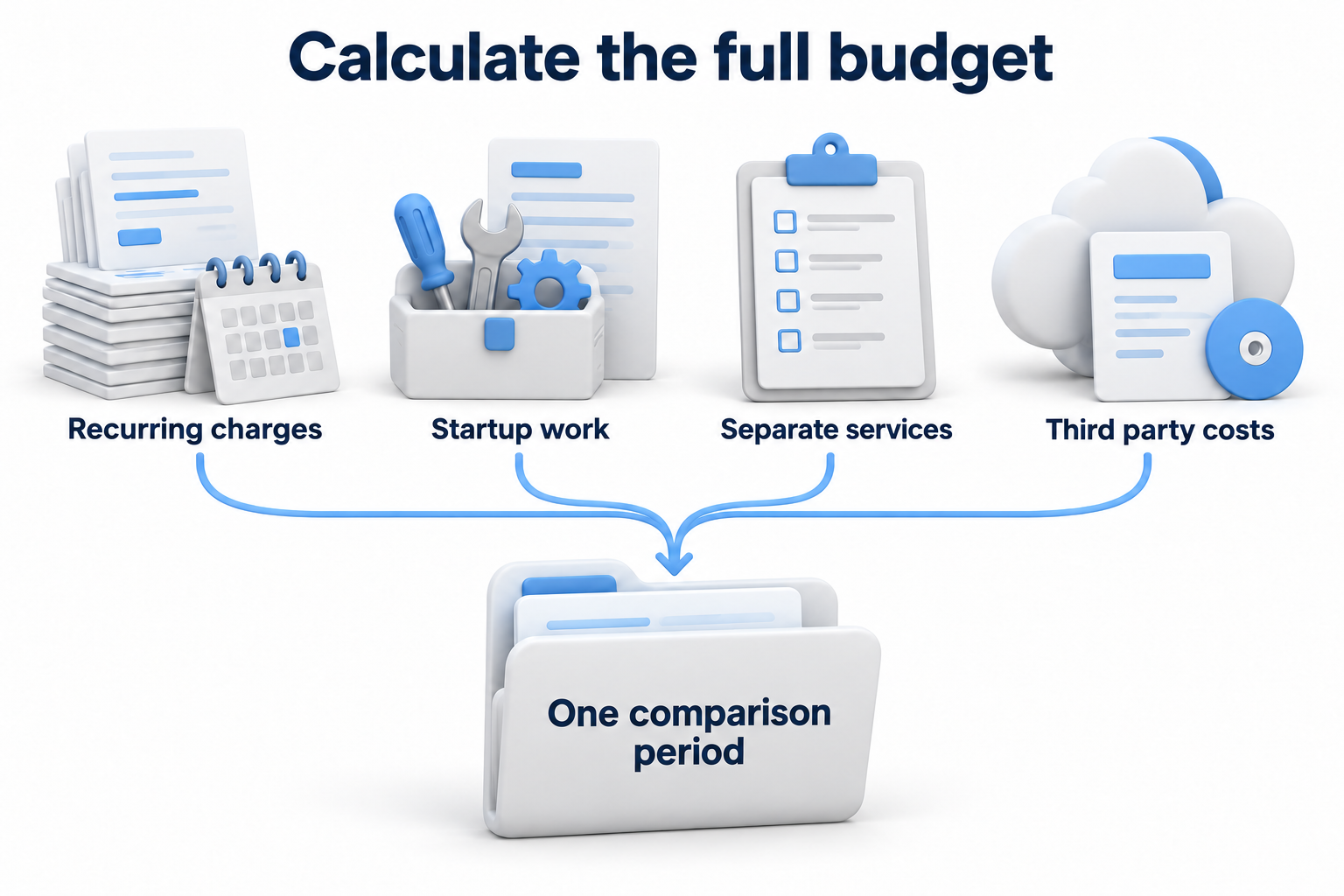
Cost for the period = recurring charges for each month + mandatory startup work + required separate services and projects + third party costs paid by the company. If scope and rates stay constant, multiply the monthly amount by the number of months for the recurring portion. If they change, calculate each month separately.
Do not add a license again if the package already includes it. State the currency and whether applicable taxes and fees are included. For variable work, compare rates, approval conditions, and the same demand scenario. Mark an unconfirmed future bill as an assumption rather than a fixed price.
Separate the initial period from ongoing operations
The first year may include preparation that will not recur in the second year. A discount, equipment upgrade, or license renewal may also change the later budget. Show these parts separately so nonrecurring work does not look like a permanent surcharge and a temporary discount does not hide the later rate.
When comparing an external team with an employee, use the same task scope. For an employee, include pay, applicable additional employment costs, tools, training, and backup staffing. For a provider, include the contract and tasks that remain within the company. Comparing one salary with one subscription amount does not demonstrate savings.
You can estimate reduced downtime from your own data, but do not deduct it from the bill as a guaranteed discount. Record the starting frequency of problems and the result you want to improve. General savings percentages and another company's cost per minute of downtime do not price your environment.
Reduce costs without leaving gaps in work
Start with an accurate scope. Remove retired devices and unnecessary services from the calculation under the contract rules. Check for duplicate licenses and tasks assigned to two providers. Identify work that can share an agreed maintenance window and unusual systems that create extra operations. Changes must preserve necessary support and protection.
Then request variants of one quote with clear differences. Compare support hours or the division of work with the internal team, for example. For each option, record who will handle excluded work and the resources required. A lower charge caused by removing a mandatory task is not a comparable improvement.
Matrix for comparing two quotes
Complete columns A and B with exact terms and references to the relevant clauses. A blank cell is an open question. If required work is excluded, request a separate price and add it to the common comparison period.
|
Parameter |
What to record |
Quote A |
Quote B |
|---|---|---|---|
|
People and devices |
Scope, billing units, and exclusions |
||
|
Sites and remote work |
Addresses, supported connections, and applications |
||
|
Support schedule |
Hours, time zone, weekends, and holidays |
||
|
Service level |
Response, start of work, priorities, and timing rules |
||
|
Site visits |
Included work, limits, travel, and urgency |
||
|
Monitoring |
Systems, events, and actions after alerts |
||
|
Updates and security |
Scope, engineering work, tools, and results |
||
|
Backups and recovery |
Volume, retention, tests, and recovery work |
||
|
Licenses and third party services |
Inclusions, commitments, consumption, and owner |
||
|
Startup work |
Scope, acceptance, transition, and start of recurring billing |
||
|
Projects and exclusions |
Separate rates, approval, and available hours |
||
|
Scope changes |
Minimums, recalculation, and new sites |
||
|
Term and renewal |
Commitments, discounts, and conditions for a new rate |
||
|
Ending support |
Data and documentation handover and separate work |
||
|
Budget for the common period |
Recurring charges, nonrecurring work, and mandatory additional charges |
After completing the matrix, review every difference. It may reflect a different scope rather than a better rate. Ask providers to confirm changes in writing. The comparison becomes useful when you know who performs required work, at what price, and within which limits.
When a quote is ready for a decision
A clear quote answers three questions: what the company receives, what the same period costs, and which conditions will change the amount. “Everything included” needs the same defined boundaries as any other package. Before choosing, close gaps in required work and agree on charges outside the rate.
If you are preparing a budget, discuss managed IT services with DKs. Provide user counts, systems, sites, and required support hours to define the scope for a quote.